

Introduction
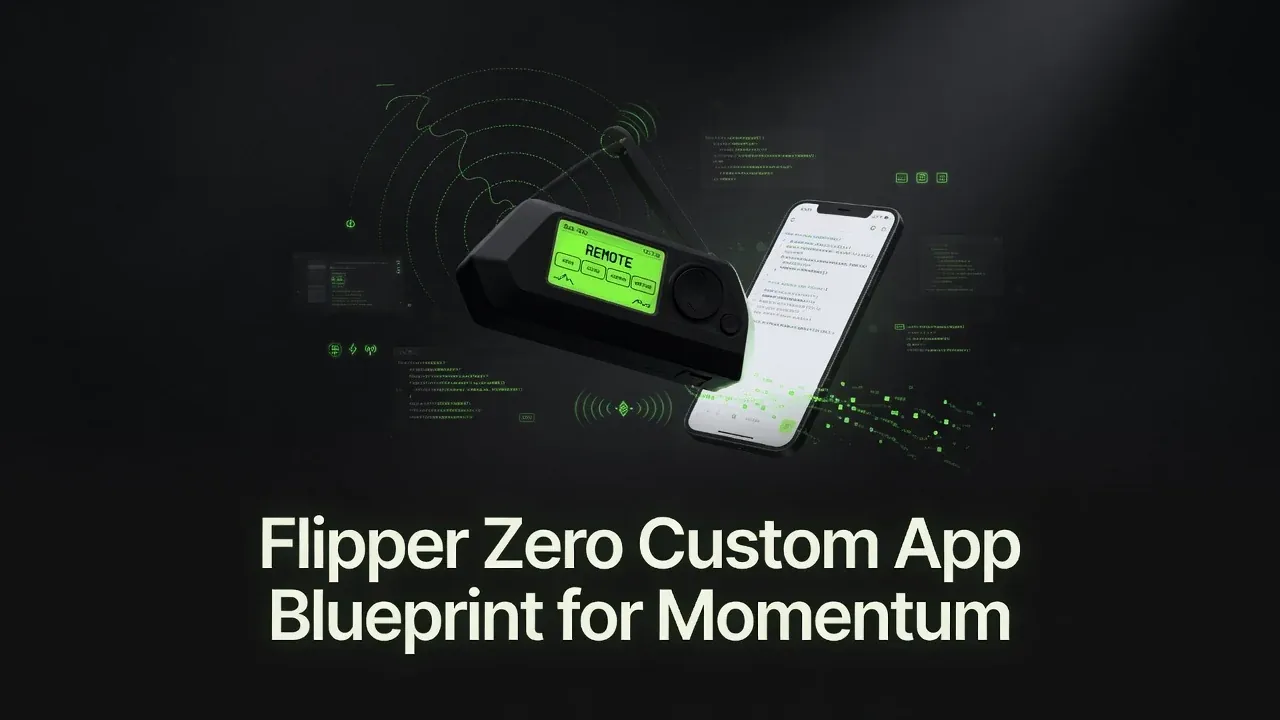
The repository named Flipper is not a Flipper Zero application or custom firmware. Instead, it is a thoughtfully designed development framework and starter kit that helps users quickly build their own applications and scripts for the Flipper Zero[2] running Momentum Firmware[3].
It lowers the barrier to entry by offering two development paths: easy JavaScript scripting (possible entirely from a phone, no computer required) and more powerful native C .fap applications for performance-critical use cases.
Repository: github.com/Ranzlappen/Flipper
What is the Flipper Repository?
This project provides templates, examples, documentation, and tooling to create custom Flipper Zero apps and scripts. It is specifically built against the Momentum Firmware SDK[4] and includes:
- Ready-to-use JavaScript script templates (
basic-script.js,subghz-remote-template.js,gui-example.js) - C application templates (including a
hello-worldstarter and a GUI Studio–generated example) - A real-world example Sub-GHz remote control (
balkon-markise-remote.js) - Clear deployment instructions for both JS and
.fapfiles - Integration notes for Flipper GUI Studio and uFBT
The goal is to make custom development on Flipper Zero more accessible, especially for beginners and mobile-first developers who may not have a development computer available.
Key Features
- Dual Development Support — JavaScript (phone-friendly, no compilation) and C (native
.fap, full hardware access) - Phone-Only Workflow — Edit and deploy JavaScript scripts from your phone using the Flipper Mobile App[5] over Bluetooth — no computer needed
- Templates & Examples — Basic scripts, Sub-GHz remote template, GUI app starters, and a real-world example
- Hot Reload for JS — No compilation step — update the
.jsfile on the SD card and re-run from the Flipper menu - C App Support — Full native
.fapdevelopment withuFBT[6] and optional Flipper GUI Studio integration - Documentation & Tooling — JS API reference, deployment guide, uFBT config notes, GUI tool integration guide, CI/CD automation
- Weekly SDK Sync — A GitHub Actions workflow automatically syncs the JS SDK (
@next-flip/fz-sdk-mntm[4]) each week to track Momentum Firmware updates
Repository Structure
Flipper/
├── JS-Apps/
│   ├── templates/
│   │   ├── basic-script.js           # Minimal JS template
│   │   ├── subghz-remote-template.js # Sub-GHz remote with button menu
│   │   └── gui-example.js            # GUI widgets example
│   └── examples/
│       └── balkon-markise-remote.js  # Real awning/garage-door remote
├── C-Apps/
│   ├── templates/
│   │   ├── hello-world/              # Minimal .fap starter (build with uFBT)
│   │   └── gui-studio/               # GUI Studio–generated template
│   └── ufbt-config.md                # uFBT setup notes
├── docs/
│   ├── JS-API-Reference.md           # JavaScript SDK API reference
│   ├── deployment.md                 # Transfer methods and file paths
│   └── gui-tool-integration.md       # Flipper GUI Studio walkthrough
└── .github/workflows/
    └── (CI, release-please, weekly SDK sync)
JavaScript vs C Development Paths
| JavaScript | C .fap |
|
|---|---|---|
| Difficulty | Beginner-friendly | Advanced |
| Computer needed | No (phone sufficient) | Yes (uFBT toolchain) |
| Compilation | None | Required (ufbt) |
| Best for | Sub-GHz remotes, GUIs, automation | Drivers, performance-critical apps |
| Hot reload | Yes (copy file, re-run) | No (rebuild and redeploy) |
| SDK | @next-flip/fz-sdk-mntm[4] |
Momentum Firmware C headers |
For most new users, the JavaScript path is the right starting point. The C path exists for cases where native hardware access or higher performance is genuinely required.
Getting Started: JavaScript Path
No computer required. You need:
- A Flipper Zero running Momentum Firmware[3]
- The Flipper Mobile App[5] (iOS/Android, connects over Bluetooth)
- Any phone text editor (e.g. Acode, Quoda, or the GitHub web editor)
Steps:
- Pick a template from
JS-Apps/templates/— start withbasic-script.jsorsubghz-remote-template.js. - Edit it on your phone: change the script name, add your logic or Sub-GHz file paths.
- Open the Flipper Mobile App, navigate to SD Card → apps → Scripts/, and upload your
.jsfile. - On the Flipper: go to Apps → Scripts → [your_script.js] and run it.
To update, re-upload the file and re-run. No compilation, no cable required.
Getting Started: C Path
C app development requires a computer (or GitHub Codespaces for a browser-based environment).
One-time setup (install uFBT and sync the Momentum SDK):
pip install --upgrade ufbt
ufbt update --index-url=https://up.momentum-fw.dev/firmware/directory.json --channel=release
Build the hello-world template:
cd C-Apps/templates/hello-world
ufbt
The compiled .fap file is output to the dist/ directory. Copy it to the Flipper’s SD card under /ext/apps/Examples/ (or another category folder).
Alternative: Use GitHub Codespaces to open the repo in a cloud environment — uFBT installs in the devcontainer and you get a full build environment without local setup.
Deployment Destinations
| App type | SD card location |
|---|---|
JavaScript .js scripts |
/ext/apps/Scripts/ |
C .fap apps |
/ext/apps/<Category>/ |
Sub-GHz signal files .sub |
/ext/subghz/ |
Transfer methods (all three are equivalent — choose by what you have available):
- Flipper Mobile App (Bluetooth, phone-friendly) — drag-and-drop file browser
- qFlipper[7] (USB or Bluetooth, desktop app) — file manager for Windows/macOS/Linux
- microSD card reader — pull the card, copy files directly, reinsert
Featured Example: Sub-GHz Remote
balkon-markise-remote.js is the real-world example in JS-Apps/examples/. It demonstrates a polished 3-button Sub-GHz remote with commands labelled REIN (in), RAUS (out), and STOP — designed for controlling a balcony awning or garage door.
The pattern it demonstrates is the canonical Sub-GHz JS workflow:
- Pre-record raw
.subsignal files for each button using the Flipper’s Sub-GHz app. - Store the
.subfiles on the SD card at/ext/subghz/. - Write a JavaScript script that presents a menu and calls
subghz.transmitFile(path)for the chosen action.
This makes the Flipper act as a universal remote for any RF device you have physical access to record — no hardcoded frequencies or vendor dependencies.
GUI Studio Integration
For developers who want a graphical UI in their .fap apps without hand-writing C layout code, the framework documents integration with Flipper GUI Studio — available at tools.ranzlappen.com/tools/flipper-gui/.
The workflow:
- Design the app’s screens by dragging widgets in the browser-based GUI Studio.
- Configure app metadata (name, icon, author).
- Export a complete C app bundle (
.c+.h+application.fam). - Build immediately with
ufbtfrom the exported directory.
The C-Apps/templates/gui-studio/ template in the repo shows the generated structure you can expect.
CI/CD & Automation
The .github/workflows/ directory provides:
- Build CI — Runs
ufbton every pull request to verify C app templates compile cleanly against the current Momentum SDK. - Release automation — Uses
release-pleaseto create versioned GitHub releases when changes are merged tomain. - Weekly SDK sync — A scheduled workflow runs
ufbt updateweekly to pull in the latest Momentum Firmware SDK release (currentlymntm-012[3]), ensuring templates stay buildable as the firmware evolves.
Security & Responsible Use
The Flipper Zero’s Sub-GHz, NFC, RFID, and IR capabilities can interact with a wide range of real-world devices. A few notes on responsible use:
- Only record and replay signals from devices you own or have explicit permission to control. Replaying signals to third-party devices (e.g. neighbours’ garage doors) is illegal in most jurisdictions.
- Momentum Firmware[3] ships with region-based Sub-GHz frequency restrictions. Respect the legal frequency limits in your country.
- The
balkon-markise-remote.jsexample records raw.subfiles from your own physical remote — it does not brute-force or guess codes. - JavaScript scripts on the Flipper run with access to hardware peripherals. Review any script you download from the internet before running it.
Key Takeaways
- The Flipper repository is a development framework and starter kit — not an app or firmware itself.
- JavaScript development can be done entirely from a phone with no computer required, using the Flipper Mobile App[5] for Bluetooth file transfer.
- C development via
uFBT[6] is supported for native.fapapplications requiring hardware access or higher performance. - A real-world Sub-GHz remote example (
balkon-markise-remote.js) demonstrates the recommended pattern for phone-controlled RF remotes. - Weekly automated SDK sync keeps templates buildable as Momentum Firmware[3] evolves.
- GUI Studio integration lets you design
.fapapp screens visually and export ready-to-build C bundles.
Conclusion
The Flipper repository stands out as one of the more approachable ways to start developing for the Flipper Zero. By offering both a simple JavaScript path (phone-friendly, no compilation) and a full C path (native .fap with hardware access), it caters to a wide range of users — from complete beginners experimenting from their phone to more experienced embedded developers building production tools.
If you own a Flipper Zero running Momentum Firmware and want to build your own tools, scripts, or applications, this framework is an excellent place to begin.
More project showcases: Ticked · MoodRadar · Discord Music Bot · HardwareDash · Pageside · tools.ranzlappen.com
Sources
- Ranzlappen/Flipper — GitHub repository (README, templates, docs, CI workflows).
- Flipper Zero — official product page.
- Next-Flip/Momentum-Firmware — Momentum custom firmware for Flipper Zero (latest release: mntm-012).
- @next-flip/fz-sdk-mntm — JavaScript SDK for Momentum Firmware (npm).
- Flipper Mobile App — official iOS/Android companion app for file transfer over Bluetooth.
- flipperzero-ufbt — Micro Flipper Build Tool (uFBT) for compiling .fap applications.
- qFlipper — official desktop app for Flipper Zero file management and firmware updates.
Comments
Comments are powered by Giscus (GitHub Discussions).
Enable functional cookies to load comments.