

Introduction: It's an APK, Not a Web App
The repository is named Synth-piano-web, but don’t let the name fool you — this is a native Android application that produces APK and AAB artifacts. There is zero web technology involved. It is a full Kotlin + Jetpack Compose port of the original Python tkinter synthesizer,[2] now running with a high-performance C++17 audio engine on Android.
Synth Piano brings professional-grade synthesis, MIDI editing, and low-latency performance to Android devices in a clean, touch-first interface. The source lives at Ranzlappen/Synth-piano-web[1] and is licensed MIT.
What is Synth Piano?
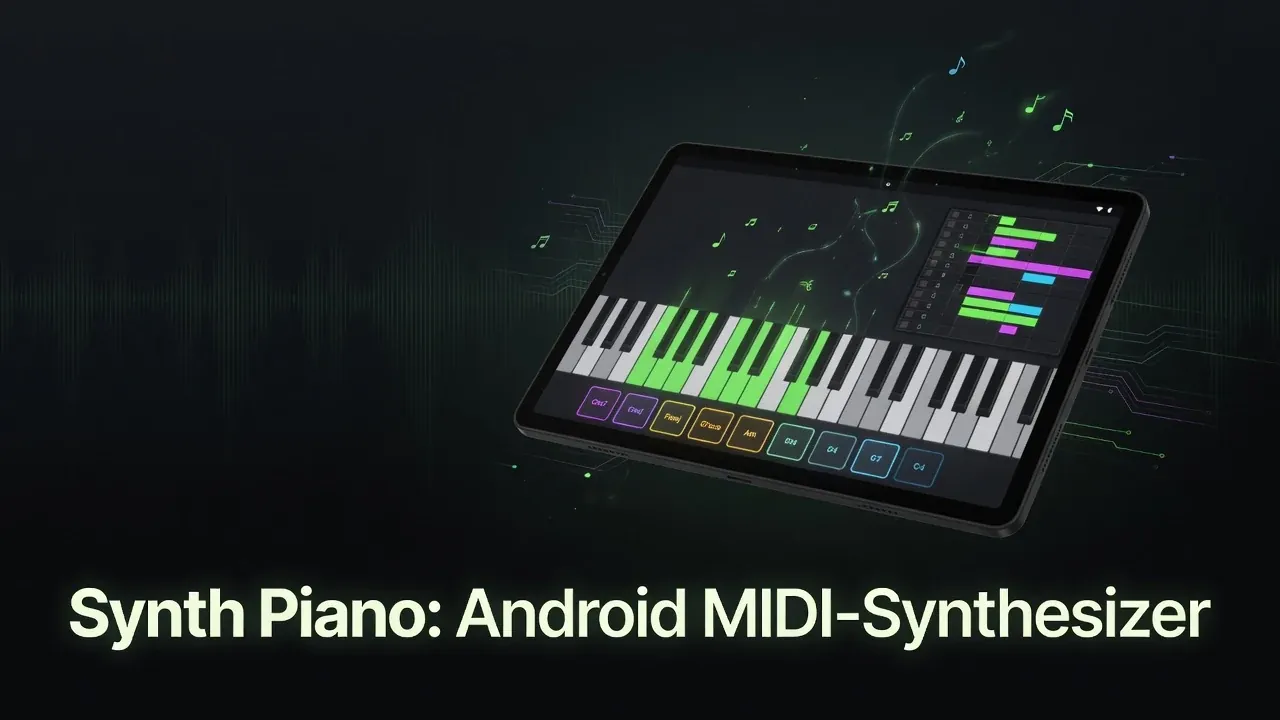
Synth Piano is a touch-optimized software synthesizer and MIDI workstation for Android. It combines real-time audio synthesis, a playable touch keyboard, chord pads, a full piano-roll MIDI editor, USB-MIDI input, and high-quality recording — all in one cohesive app.
Originally written in Python with tkinter, it has been completely rebuilt for Android using modern native tools while preserving (and significantly extending) the original workflow and sound. The rewrite also fixes the latency constraints that affect any Python-based audio application.
Key Features
- Multi-touch Keyboard — Play with up to 16 voices of polyphony. Configurable octave span and transposition.
- Four Oscillator Shapes — Sine, square, sawtooth, and triangle with full ADSR envelope control per voice.
- Chord Pads — 11 assignable pads supporting major, minor, 7th, diminished, and suspended chord qualities across all 12 root notes.
- Piano-Roll MIDI Editor — Full-featured editor: tap to add, drag to move/resize, long-press to delete. Multi-channel scores with per-note velocity and color coding. Includes four bundled demo MIDI files (Ode to Joy, Twinkle Twinkle, Frère Jacques, Scarborough Fair).
- Standard MIDI File Support — Open and save
.midfiles (Format 0 & 1) using the Android Storage Access Framework. SMF Format 0 is flattened on read for editor compatibility. - USB MIDI Input — Connect class-compliant MIDI controllers via OTG with no additional permissions required.
- Hardware Keyboard Support — Bluetooth and USB QWERTY keyboards work out of the box, fully remappable.
- Sustain Pedal + Dynamics — Full sustain pedal support and dynamics engine in the synthesizer, recorder, and score editor (added in v0.1.33).
- High-Quality Recording — Simultaneously records the master mix as WAV and a perfectly timed MIDI file with microsecond precision. Files are exported to the Downloads folder via MediaStore (Android 10+).
Technical Architecture
The app is organized into three clean layers:
| Layer | Technology | Rationale |
|---|---|---|
| UI | Jetpack Compose[3] + Material 3 | Declarative layout suits the resizable keyboard; dynamic theming built in |
| Audio I/O | Oboe 1.9[4] + AAudio | Google-endorsed path to <20 ms latency on modern devices |
| DSP Engine | C++17 (app/src/main/cpp/) |
No GC pauses; lock-free audio callback |
| MIDI | android.media.midi[5] + ktmidi |
First-party USB MIDI + robust SMF parsing/generation |
| Persistence | AndroidX DataStore[6] | Modern replacement for SharedPreferences; settings and key maps |
| Build | Gradle 8.10.2, AGP 8.5, CMake 3.22.1, Kotlin 2.0 | Standard Android toolchain |
The language distribution in the repository is approximately 88.9% Kotlin, 11.0% C++17, and 0.1% CMake.
The app is landscape-locked and responds correctly on phones, tablets, and foldables. Material 3 dynamic theming is fully supported.
The Audio Engine: C++ + Oboe
Real-time audio synthesis is the technical centerpiece of Synth Piano. The design is strict about the audio thread:
“The audio thread is sacred — no allocations, JNI callbacks, or locks in the Oboe callback.”
State changes flow from Kotlin to the native engine via std::atomic and a lock-free SPSC (single-producer, single-consumer) ring buffer for note events. This eliminates the two most common causes of audio glitches on Android: garbage collection pauses leaking into the callback, and lock contention between the UI thread and the audio thread.[4]
The JNI bridge is NativeSynth.kt. The oscillator and envelope implementations live under app/src/main/cpp/. Oboe 1.9 selects AAudio automatically on Android 8.1+ (where it is stable), falling back to OpenSL ES on older devices.
The sub-20 ms latency target depends on the device’s audio HAL and hardware capabilities. A real device is recommended for latency validation; emulators add variable jitter that makes benchmarking unreliable.
MIDI Support in Depth
Synth Piano uses two MIDI paths in parallel:
- USB MIDI input —
android.media.midihandles class-compliant controllers connected via OTG. No special permissions are required; the API gained stable support in Android 6.0 (SDK 23) and is reliable on Android 10+ (SDK 29, the app’s minimum). - SMF read/write — the ktmidi library handles Standard MIDI File parsing and generation. Both SMF Format 0 (single-track) and Format 1 (multi-track) are supported on read; Format 0 files are flattened to a single channel list for the piano-roll editor.
The piano-roll editor preserves per-note velocity, supports multi-channel color coding, and allows notes to be dragged, resized, or deleted with natural touch gestures. The MIDI recorder captures events with microsecond timestamps from the audio thread’s monotonic clock, ensuring the saved .mid file is perfectly synchronized with the WAV recording.
Building & Installing
Prerequisites:
- JDK 17 (Temurin recommended)
- Android SDK platform 35, build-tools 35.0.0
- NDK r27
- CMake 3.22.1
Quick commands:
./gradlew assembleDebug          # Debug APK (unsigned)
./gradlew bundleRelease          # Release AAB (requires signing config)
./gradlew test                   # JVM unit tests
./gradlew connectedAndroidTest   # Device or emulator tests
For a signed release AAB, configure the four secrets in your local.properties or CI environment: KEYSTORE_BASE64, KEYSTORE_PASSWORD, KEY_ALIAS, KEY_PASSWORD.
Or simply download a pre-built signed APK from the releases page — no build environment needed.
Releases & CI/CD
GitHub Actions runs .github/workflows/ci-android.yml on every push to main, on pull requests, and on tags matching v*. The pipeline:
- Builds a release-signed AAB automatically on every merge
- Bumps the patch version automatically (
v0.1.x→v0.1.x+1) for routine merges - Creates a GitHub Release with the APK attached
- Supports tag-based releases for explicit version names
- Add
[skip release]to a commit message to suppress the auto-release
As of June 2026, the latest release is v0.1.33, which added full sustain pedal and dynamics support across the engine, recorder, and score editor. The project has been actively released with multiple updates per sprint.
Pitfalls & Device Notes
- Latency varies by device — the sub-20 ms target is achievable on flagship devices with low-latency audio HALs (Pixel, recent Samsung, etc.). Budget devices may have higher latency regardless of the engine quality. Use the Android audio latency checker to benchmark your hardware.
- OTG cable required for USB MIDI — a standard USB-C cable without OTG support will not enumerate MIDI devices. Use an OTG-capable adapter or hub.
- SMF Format 1 read-flattening — multi-track Format 1 files are merged into a single channel list on import. The original per-track structure is not preserved in the editor’s internal model; if you need per-track isolation, export as Format 1 before importing.
- Emulator audio jitter — emulators introduce variable scheduling delays that defeat latency benchmarking. Test audio-critical paths on a real device.
- NDK r27 required — older NDK versions have known C++17 atomics issues on certain ABIs. Stick to NDK r27 for the CMake build.
Key Takeaways
- Synth Piano is a native Android APK app built with Kotlin 2.0 + Jetpack Compose — the repository name
Synth-piano-webis simply a legacy artifact. - The C++17 audio engine via Oboe 1.9 targets <20 ms latency with a lock-free audio callback — a genuine real-time design, not an approximation.
- Full MIDI workstation features: USB-MIDI input, piano-roll editor, SMF 0 & 1 support, synchronized WAV + MIDI recording.
- 16-voice polyphony, four oscillator shapes, full ADSR envelopes, and sustain pedal support.
- MIT licensed; auto-released APKs on GitHub Releases — latest is v0.1.33 as of June 2026.
Conclusion
Synth Piano proves that you can build a serious, low-latency music creation tool entirely on Android using modern native technologies. Despite the confusing repository name, this is a polished, feature-rich APK that Android musicians and tinkerers will genuinely enjoy. Whether you want to play, compose, record ideas, or just experiment with synthesis on your phone or tablet, Synth Piano is a compelling proof of concept done right.
View the repository and grab the latest release APK directly — no Play Store account needed.
More Project Showcases
Other projects in this series that might interest you:
- HardwareDash — Modular Android dashboard for sensors, radios, and hardware automation
- Ticked — A lightweight habit-tracker PWA
- MoodRadar — Twitch chat sentiment analysis
Sources
- Ranzlappen/Synth-piano-web — GitHub repository: README, release history, and build configuration (accessed June 2026).
- Ranzlappen/synth-piano — The original Python tkinter synthesizer that Synth Piano for Android ports and extends.
- Jetpack Compose documentation — Android's modern declarative UI toolkit used for the keyboard, chord pads, and piano-roll editor.
- google/oboe — Google's C++ library for low-latency Android audio; wraps AAudio (Android 8.1+) with an OpenSL ES fallback. Version 1.9 used in Synth Piano.
- Android Developers — android.media.midi — The native MIDI API used for USB-MIDI controller input via OTG.
- AndroidX DataStore — Persistence library used for settings and hardware key mappings.
- atsushieno/ktmidi — Kotlin MIDI library providing robust SMF (Standard MIDI File) Format 0 and 1 parsing and generation.

Comments
Comments are powered by Giscus (GitHub Discussions).
Enable functional cookies to load comments.